University Communications and Marketing (UCM)- Web Intern
The Overview
I have been lucky enough to work with Miami's University Communications and Marketing team for the past two years. This opportunity has given me exposure to so many real world tools used in site management and digital design. Over the years I have learned to navigate and manage files in Miami's CMS, adhere to branding policies while having freedom to redesign pages, and understand SEO and other marketing tools. I have been able to collaborate closely with lead website specialists working in the field, giving me hands on knowledge I wouldn't have obtained elsewhere.
The Process
On the day to day, I am working with excel sheets, completing and responding to web change tickets, organizing our content management system, etc. Sometimes, though, larger projects fall into my lap; Recently various academic departments merged, thus requiring their separate sites and information to be consolidated and redesigned. This was a task my supervisor gave me free reigns to. As these changes have not gone into effect, I did not include visuals as to not publish info this is not public yet.
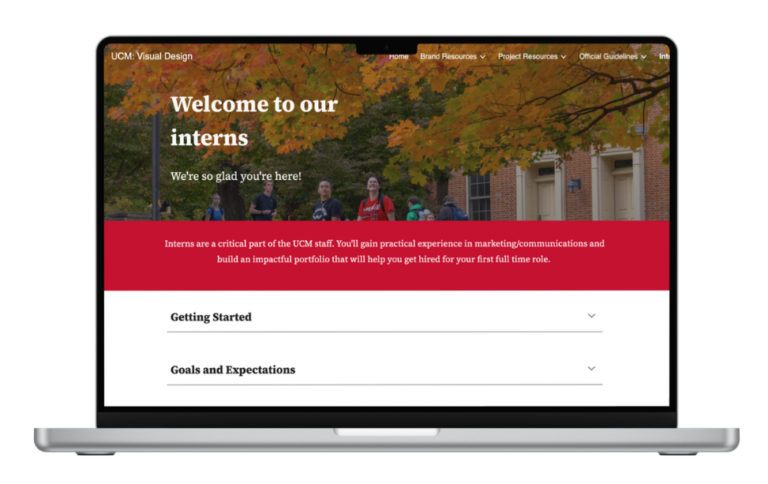
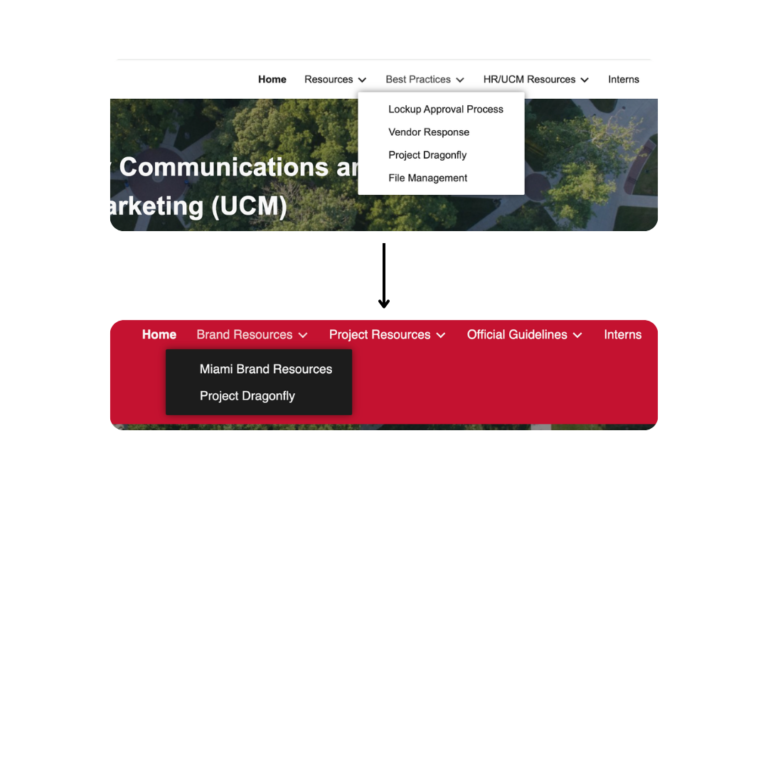
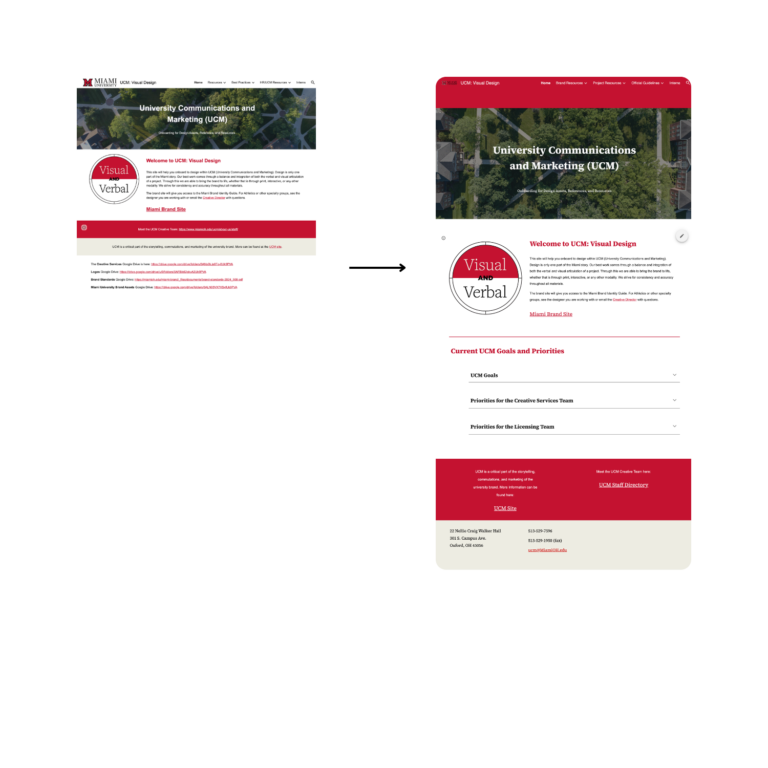
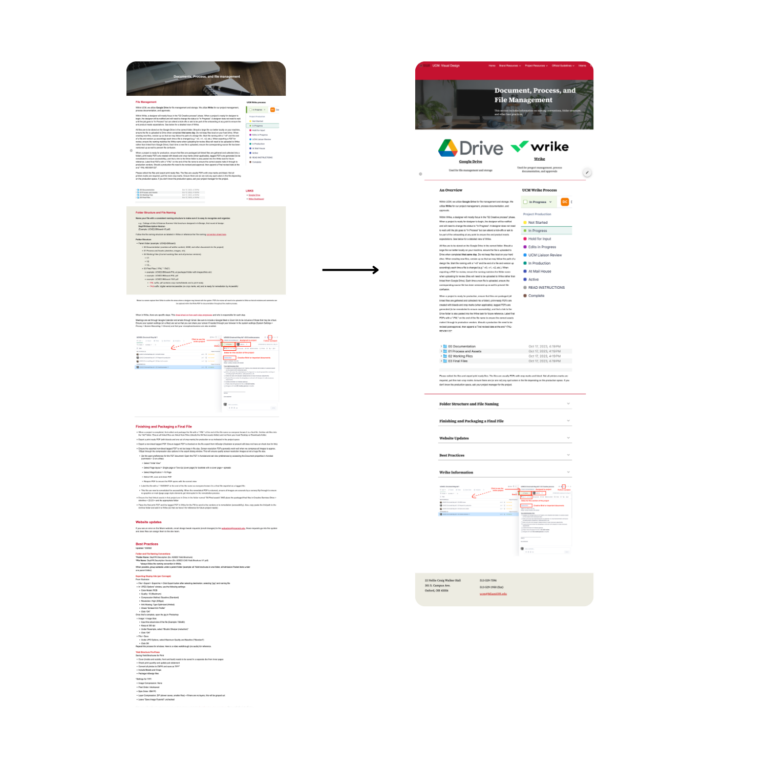
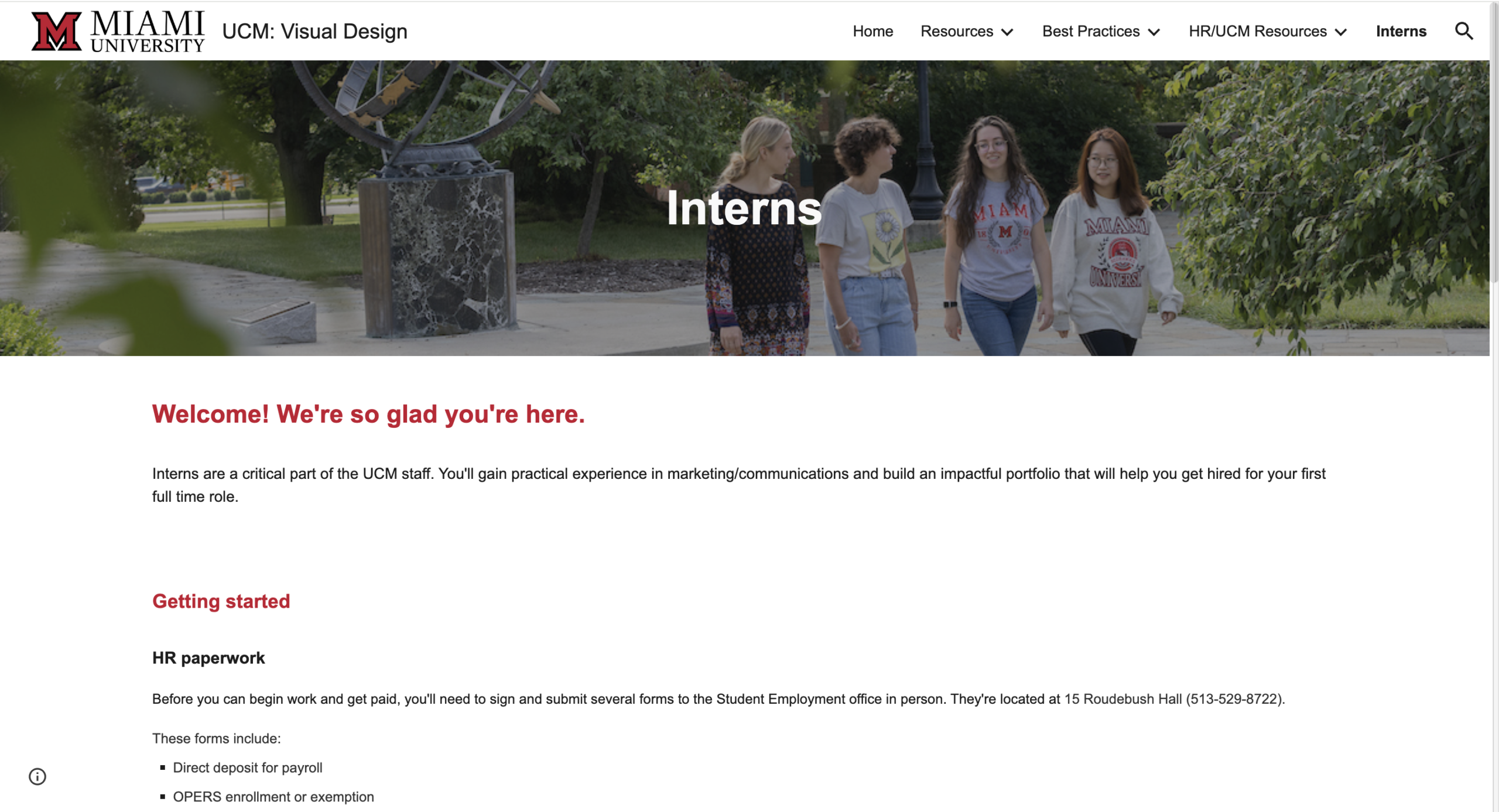
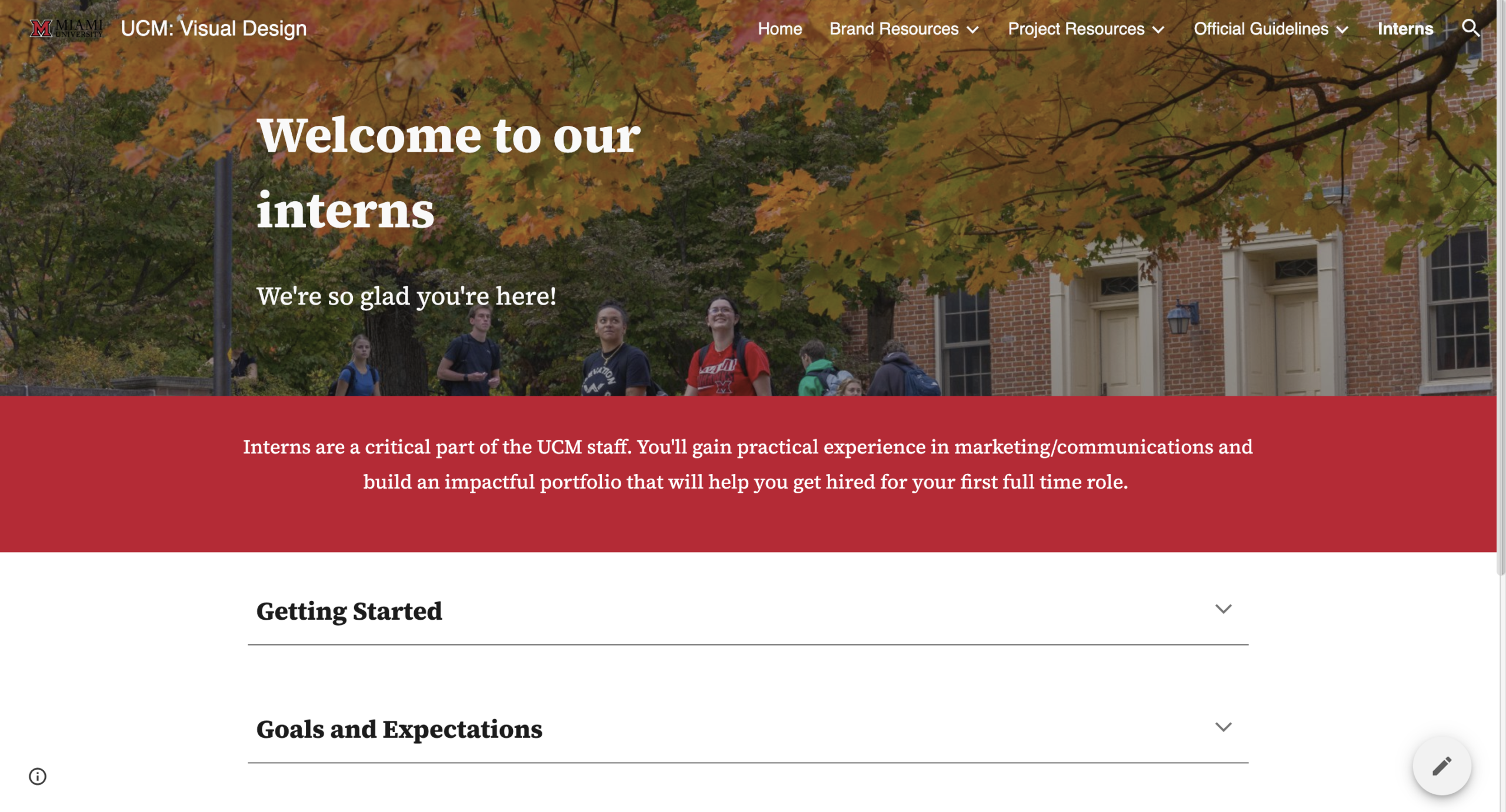
A project that I recently worked with that I can show is a redesign of an internal facing site- information for branding guidelines, design resources, etc. I was asked to redo this mini-page which was hosted via Google Sites. I was given creative freedom, but I tried to stay loyal to the source material but give it a refresh. For example, the top photo is what the intern's info page looked like before, with the bottom being my redesign. Many changes were subtle, with the most notable on this page being the reorganization of info into an accordion rather than being text paragraphs.
The Product
Though the changes are subtle, they do modernize and increase usability of the site. Notably, there was no footer on the original pages, so I made sure the new site included a standardized header and footer on each page. Information was also not well laid out, as it was just added as needed. I regrouped resources and condensed information where I could to make the site have better flow and organization.
Reflecting on my internship experience as a whole, I am so thankful again for the exposure to tools and systems, as well as for my co-workers' patience and kindness. I'm always learning there, and of course I'll be a little sad when I leave when I graduate.
Some tools used throughout:
- Cascade CMS
- ContentStack
- Google sheets
- Photoshelter, Lightbox
- TeamDynamix
- WordPress